
Enhancement Overview
The Booking Matrix has been enhanced to improve the visibility of turnaround days, making it easier to identify when one booking departs and another booking arrives on the same day.
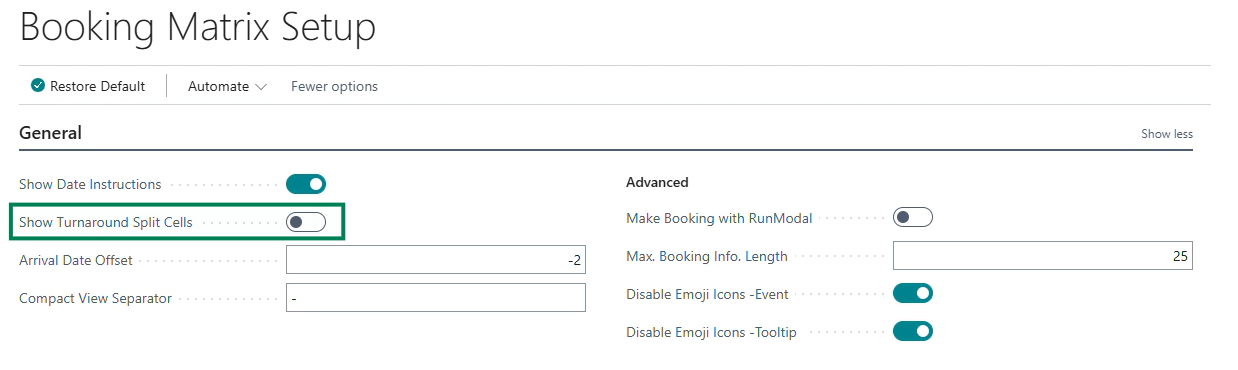
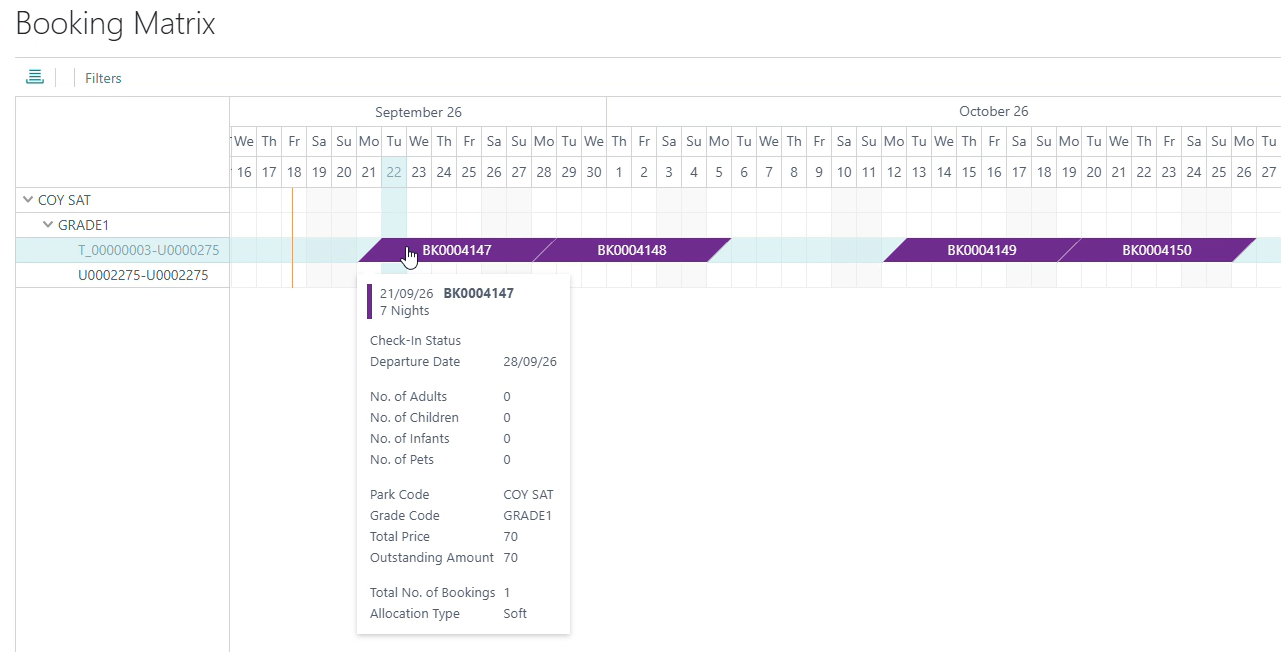
A new setting, Show Turnaround Split Cells, has been introduced to control how turnaround days are displayed within the Booking Matrix. When disabled, bookings are displayed using angled start and end cells, providing a clearer visual representation of booking transitions and maximising the use of available space within the matrix.
This enhancement helps users quickly understand occupancy patterns and booking movements without needing to inspect individual reservations.
🔷 ImportantThis enhancement functionality is only available in version 28.10 or later of EliteParks. View which version you are on in the Extension Management view within Business Central.
How It Works
Previously, the modern Booking Matrix did not visually represent turnaround days in the same way as the legacy matrix. This made it more difficult to identify situations where one guest was departing and another was arriving on the same date.
With this enhancement, a new option called Show Turnaround Split Cells has been added to the Booking Matrix settings.
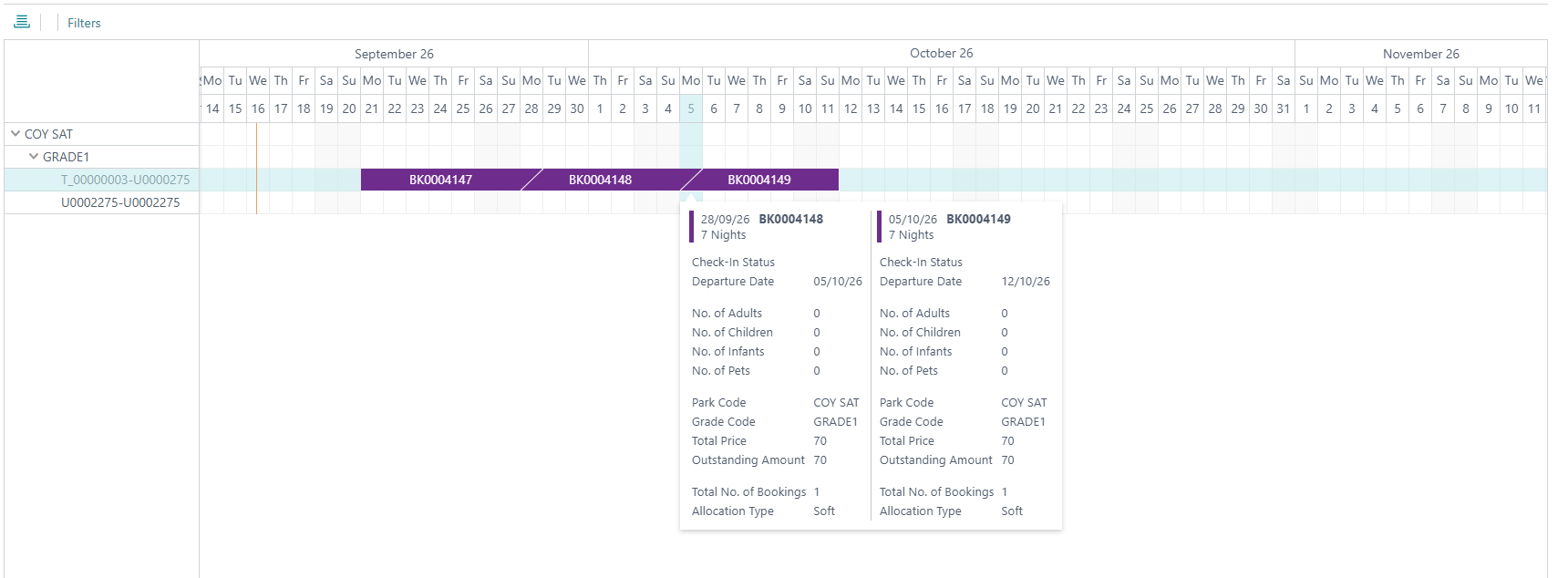
When enabled, turnaround days are displayed using split cells. You can even see the tooltips side by side when hovering over the split day.
When disabled, bookings are shown with angled start and end dates. This creates a continuous visual booking bar whilst still clearly indicating where bookings begin and end.
This option is available from the Booking Matrix Setup page (seen below).
At A Glance
Why Is It Useful?
This enhancement provides several benefits for booking and reservations teams:
Improves visibility of booking start and end dates.
Makes turnaround days easier to identify at a glance.
Provides a cleaner and more modern appearance within the Booking Matrix.
Helps users quickly understand occupancy and availability patterns.
Offers flexibility by allowing users to choose their preferred display method.
System/User Requirements
Requirement | Description |
Disabled Show Turnaround Split Cells | This must be disabled within the Booking Matrix Setup page. |